24 synthesis models · Two independent engines · Creative modulation
MICRONIX PRO
The Legendary Plaits Sound.
Expanded for Deeper Sound Design.
Plaits-inspired synthesis with 24 models per engine, two independent engines, polyphony, and deep modulation for your DAW.
$19 $29 Introductory price · USD
PayPal & Credit Cards Accepted
Windows 64-bit VST3 / macOS Universal AU & VST3
MICRONIX PRO / Demo Video
24 synthesis models per engine
A World of Synthesis.
Twice the Possibilities.
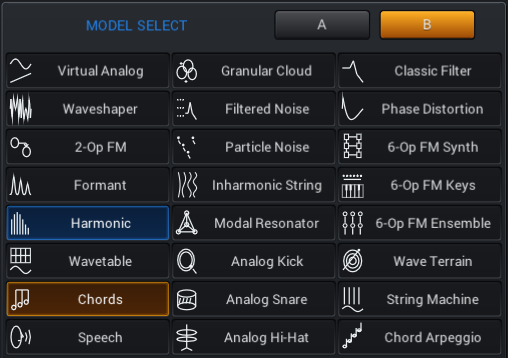
Choose independently from 24 Plaits synthesis models for Engine A and Engine B. Virtual analog, FM, wavetable, granular, physical modeling, and percussion share one clear model selector.
Combine an analog-style foundation with digital harmonics, layer a resonant texture with a chord model, or pair two contrasting synthesis techniques to create a new character.
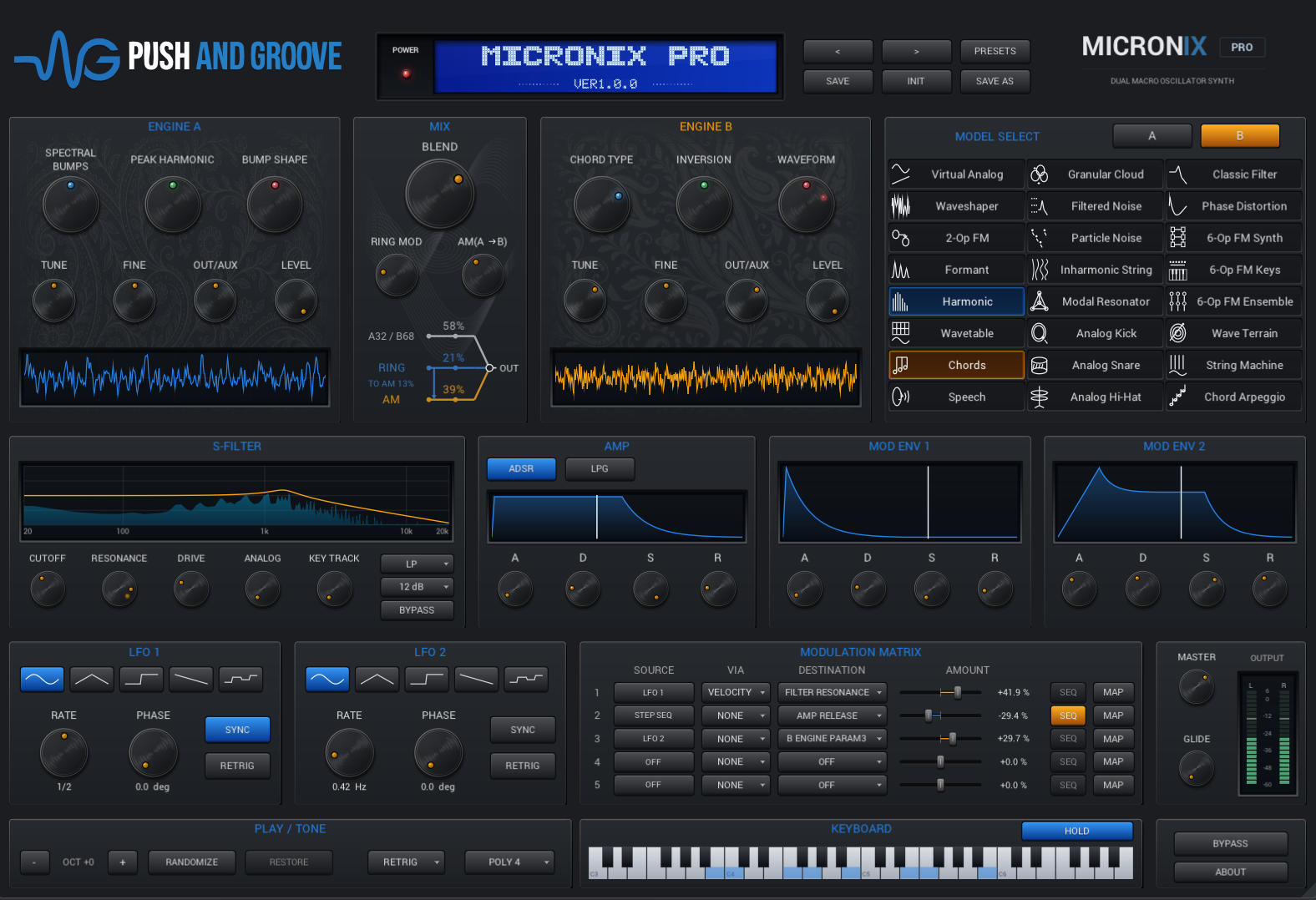
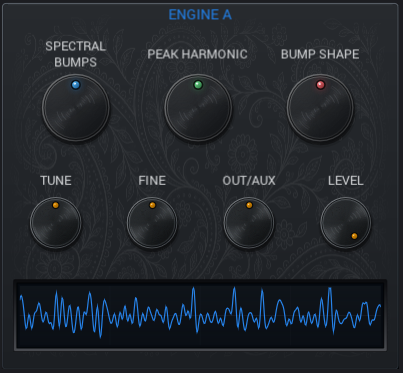
Each engine has its own model selection and sound-shaping controls. The blue and amber highlights make their roles easy to follow.
Independent sound shaping
Find the Character
Inside Each Engine.
Three macro controls corresponding to Harmonics, Timbre, and Morph reveal each model’s personality. Model-specific labels describe what those controls shape.
Set Tune and Fine independently, adjust the engine level, and blend its OUT and AUX signals for additional tonal variation.
Live waveform displays give each engine a visual identity as you shape, layer, and modulate the sound.
Blend · Ring modulation · AM
Let Your Engines Interact.
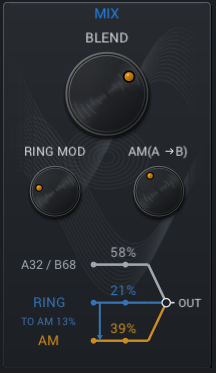
Balance Engine A and Engine B with Blend, then explore interactions that reach beyond a straightforward layer.
Ring Modulation
Introduce new sidebands and complex tonal relationships, from metallic accents to dense, evolving textures.
AM from A to B
Use Engine A to modulate the amplitude of Engine B. Explore pulsing, roughened timbres and changing harmonic character.
The mix diagram shows the balance and interaction paths together, keeping complex combinations easy to follow.
S-FILTER
Give the Combined Sound a Final Shape.
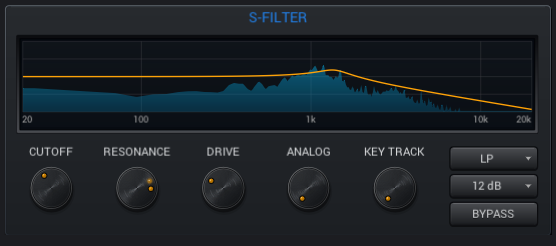
S-FILTER uses analog-modeling technology developed for FILTRONIX, our circuit-modeled filter plug-in. This dedicated multimode filter brings the layered sound into focus. Shape the cutoff and resonance, introduce Drive, and adjust Analog character.
Filter mode, slope, and Key Track provide further control over the response. A spectrum and filter-curve display make the relationship between the sound and its filtering visible.
Amplitude and modulation envelopes
Shape the Note.
Shape Its Movement.
ADSR or LPG
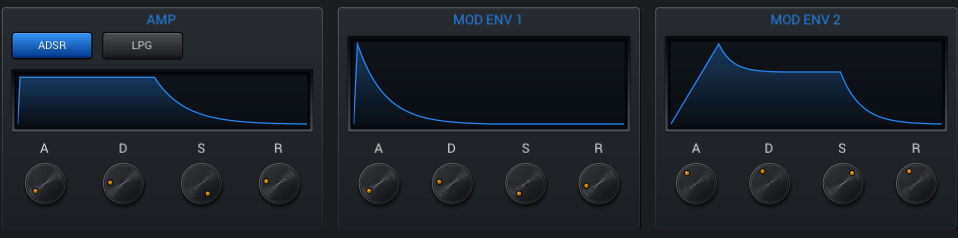
Choose conventional Attack, Decay, Sustain, and Release shaping, or the distinctive Low-Pass Gate response of Plaits. Create sharp transients, sustained tones, and organic decays.
Two Modulation Envelopes
Give parameters their own time-based movement with dedicated envelopes. Add a brief attack accent, a gradual tonal change, or a response that develops through the note.
Two independent LFOs
Movement with a Musical Purpose.
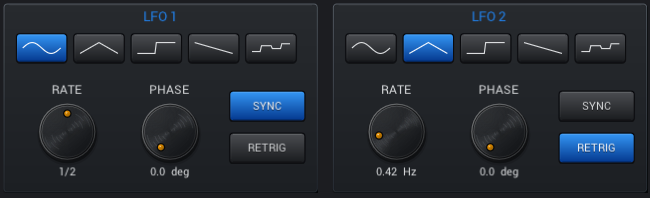
Five waveform choices, rate, phase, tempo sync, and retrigger controls give each LFO its own behavior. Combine slow movement with a faster rhythmic pattern for more intricate modulation.
Modulation Matrix
Connect Expression to Sound.
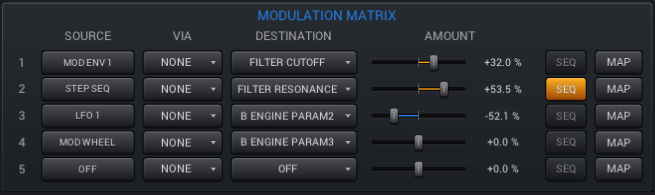
Connect LFOs, envelopes, sequenced movement, and performance sources to engine, filter, and amplitude parameters. Each route combines Source, Via, Destination, and signed Amount controls.
Use positive or negative amounts to shape the direction and depth of modulation. Via adds expressive control to a route, while SEQ opens its step-modulation controls.
Mod Map
Point to the Sound You Want to Move.
Choose a modulation source and activate MAP for its route. Available destinations are outlined in orange directly on the interface: select a highlighted control to assign it.
From engine macros and mix controls to filter cutoff, envelopes, and LFO rates, Mod Map makes supported destinations visible in context. Adjust the route’s Amount to bring the movement into your sound.
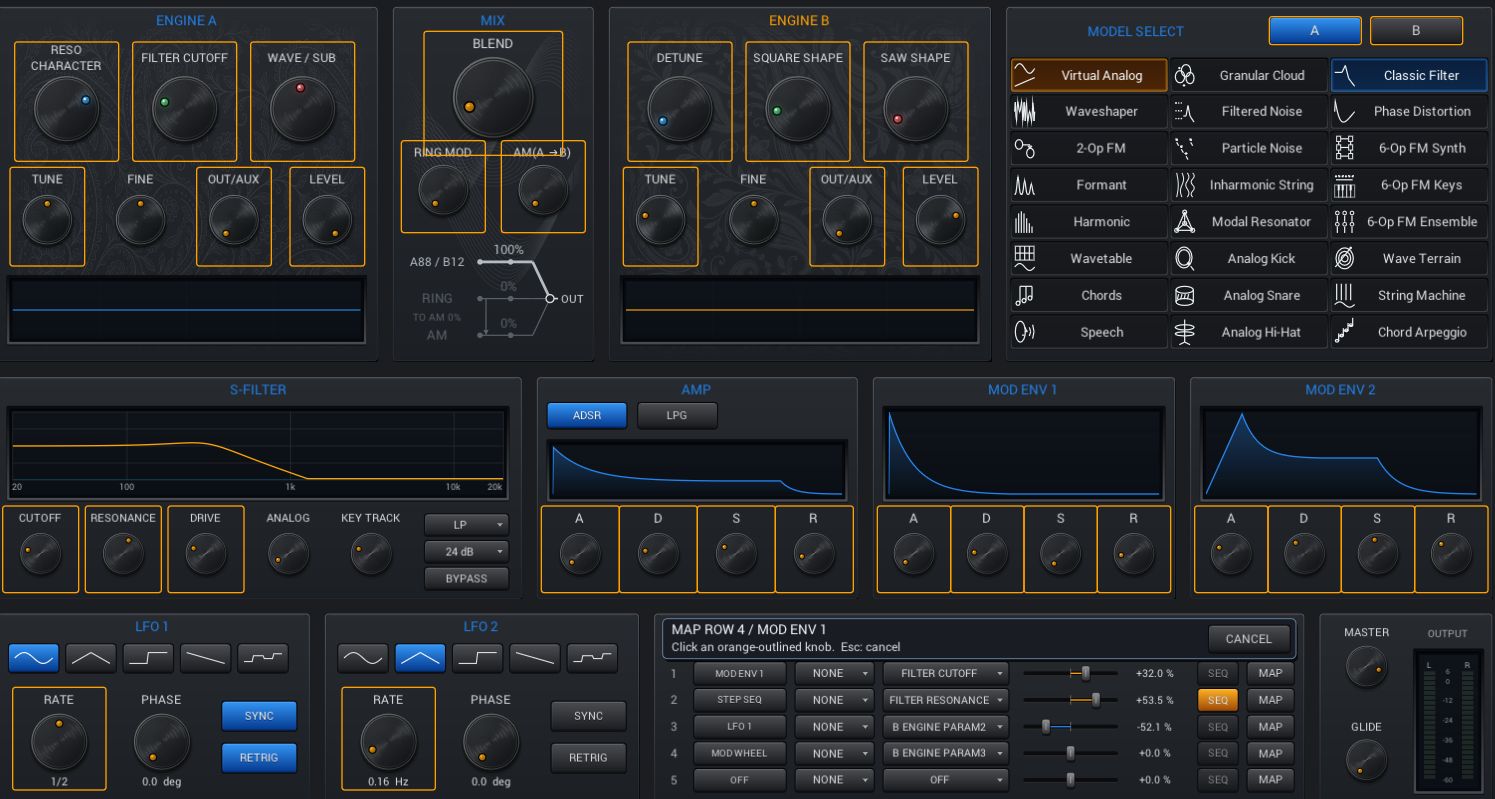
Mod Map highlights available destinations. Select the image to view the full-size interface.
Step modulation
Turn Motion into a Sequence.
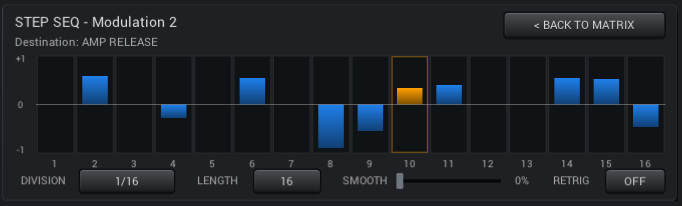
Build rhythmic parameter movement with the modulation step sequencer. Positive and negative step values create patterns around the destination’s base setting.
Adjust Division and Length, soften transitions with Smooth, and choose retrigger behavior. The highlighted step makes the sequence position easy to follow.
Sequence a filter gesture, an envelope parameter, or an engine macro to transform a held note into an evolving part.
Performance and sound exploration
From an Idea to a Playable Patch.
Expressive Playing
Monophonic and polyphonic performance, Retrigger and Legato, Glide, octave controls, and MIDI pitch bend support basslines, leads, chords, and layered parts. The on-screen keyboard and HOLD let you audition sounds directly.
Explore and Recall
Use Randomize and Restore to explore new directions. Browse presets, save your patches, and use Save As to keep variations while your DAW recalls the instrument with your project.
MICRONIX PRO
Two Engines.
Your Next Sound.
24 synthesis models per engine, expressive modulation, step sequencing, and a dedicated filter in one instrument.
| Platform | Plugin Formats |
|---|---|
| Windows 64-bit | VST3 |
| macOS Universal (Intel / Apple Silicon) |
AU / VST3 |
$19 $29 Introductory price · USD
PayPal & Credit Cards Accepted
Version History
Version 1.0.3
- Fixed compatibility issues with Cubase. (macOS)
Version 1.0.2
- Fixed compatibility issues with Cubase. (Windows)
- Fixed an issue where the GUI could occasionally freeze. (macOS)
Ver. 1.0.1 —
- Fixed an invalid memory access issue in 6-Op FM.
- Improved stability in the Speech model and PWM processing at low pitches.
- Improved memory management on macOS and compatibility when using MICRONIX and MICRONIX PRO together.
- Improved operation at low sample rates and VST3 state restoration.
- Reduced the initial window size to 80% of its previous size.
Ver. 1.0.0
- Initial release.